Turn dine-in, take-out & delivery on or off
You decide which of the three ways to order your storefront offers. Switch off what you don’t do and it disappears from the guest checkout immediately.
- 1
Open Settings in the sidebar and go to the Ordering & payments tab.
- 2
Toggle dine-in, take-out, and delivery. At least one has to stay on — Higgs won’t let you switch off the last one.
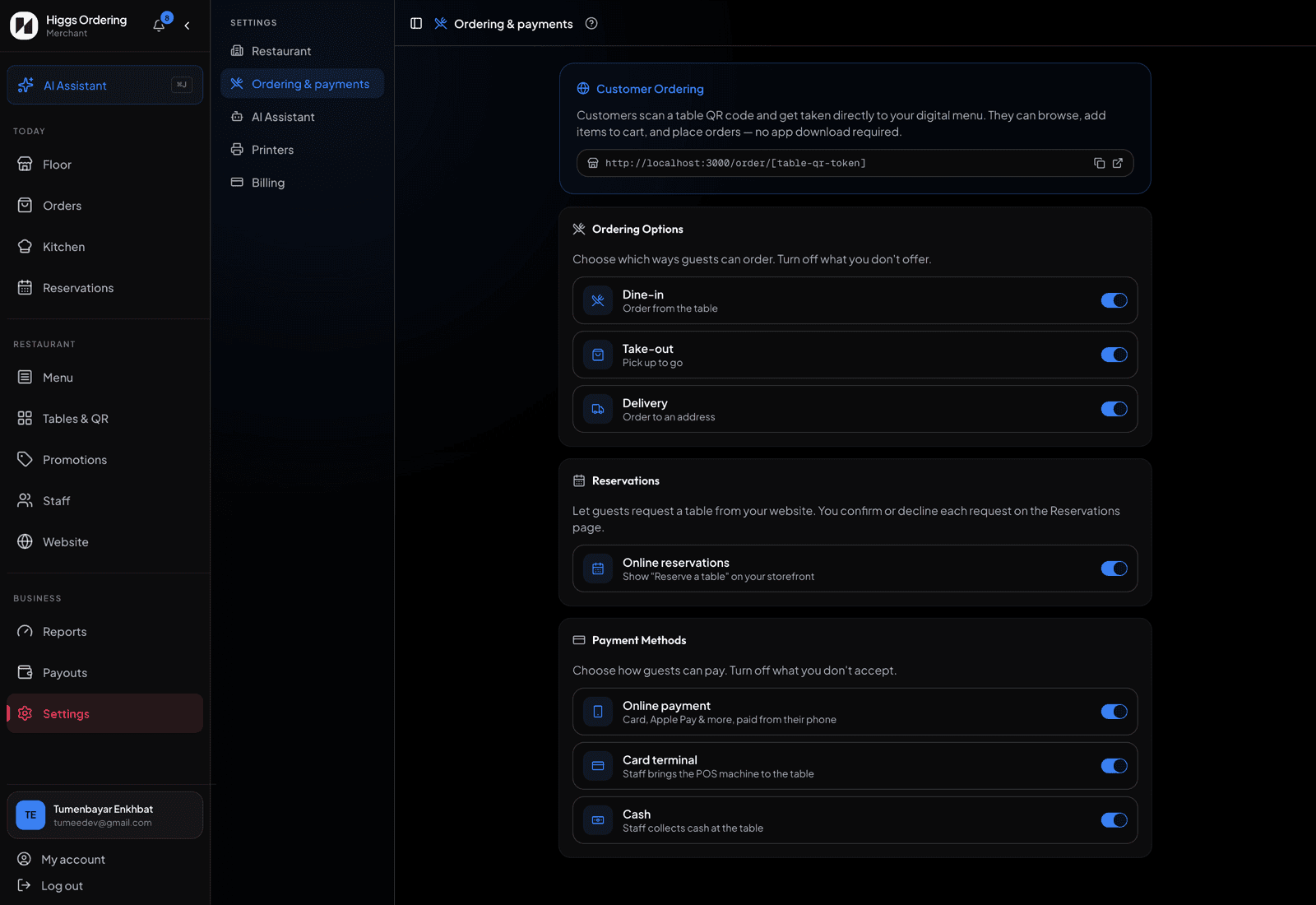
Dine-in, take-out and delivery — one switch each. - 3
Dine-in guests order from a table QR and pay at the end. Take-out and delivery guests pay online at checkout, and their order auto-confirms the moment the payment settles.
- 4
Delivery orders ask for an address; take-out orders don’t. Both show up on the Floor page alongside your tables.
TipThese are the same flags the website builder reads, so switching delivery off here also removes it from your storefront — you don’t need to touch the builder.