Work faster with keyboard shortcuts
If you take orders on a computer, the keyboard is much faster than the mouse. Press ? anywhere in the dashboard to see the full cheat sheet for the screen you’re on.
- 1
On the Floor page: N starts a walk-in, D a delivery, O opens active orders fullscreen, R refreshes, and + / − / 0 zoom the floor plan.
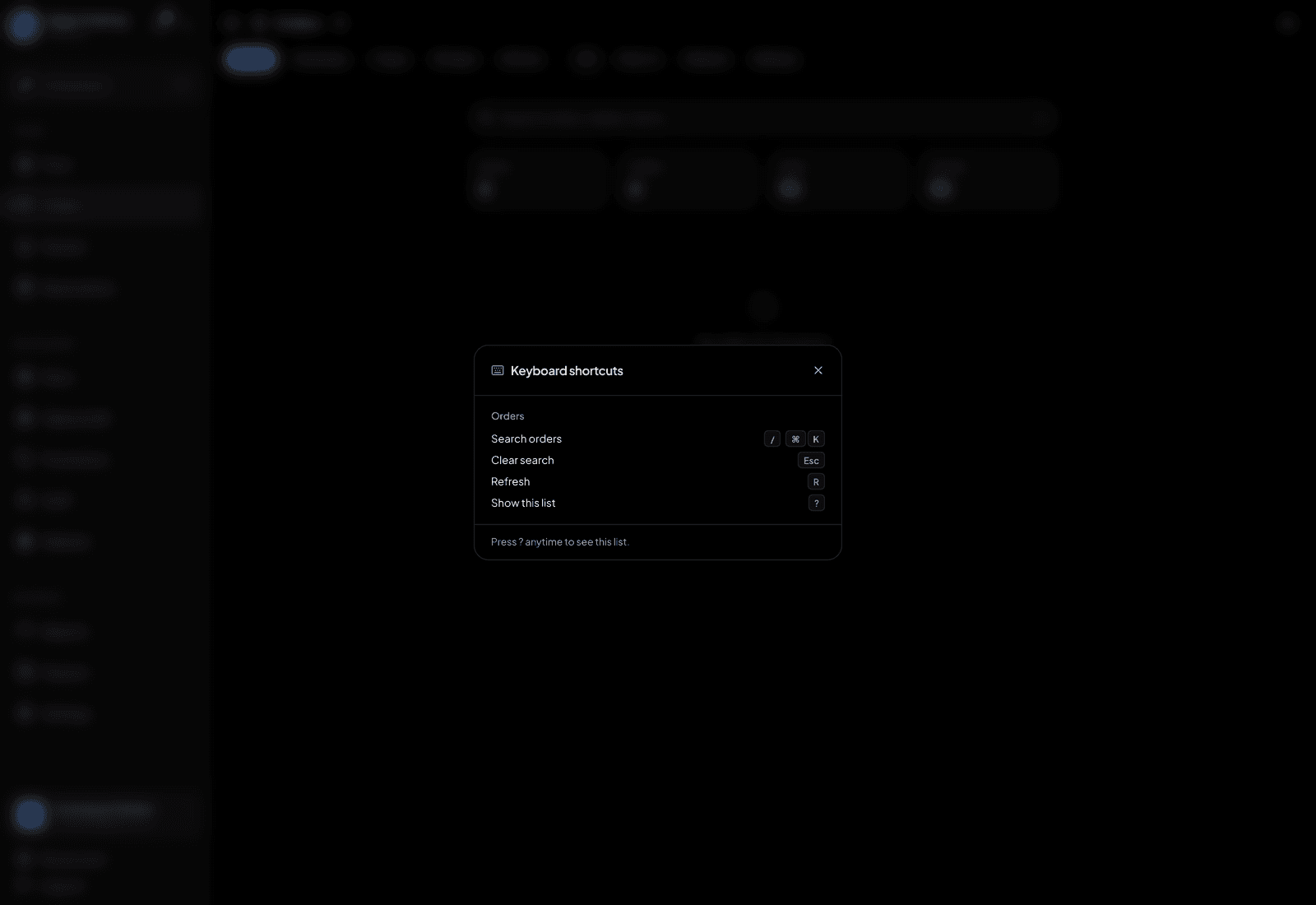
Press ? for the cheat sheet on any screen. - 2
With an order open: A adds items, B goes to bill and payment.
- 3
While adding items: / jumps to menu search, Enter adds the configured item, + and − change the quantity, and ⌘Enter (Ctrl+Enter) places the order.
- 4
On the Orders page: / searches, R refreshes. On the Kitchen board: 1–4 switch tabs, T toggles today/all, R refreshes.
- 5
Esc always backs out one level — closing the panel you’re in, not the whole flow. Leaving a half-built order asks first.
TipPress ? to open the cheat sheet on any screen. Shortcuts stand down while you’re typing in a text box, so you can safely type "no onions".