File your tax return from Reports
Reports → Tax prepares the figures a sales tax, GST/HST or VAT return asks for: your sales before tax, the tax per rate, the tax refunded, and the one number to pay.
- 1
Open Reports and switch to the Tax tab. It opens on your last finished filing period: last month if you file monthly (Mongolia), last quarter if you file quarterly (Canada, the US, Australia). You can also pick this period, this year or your own dates.
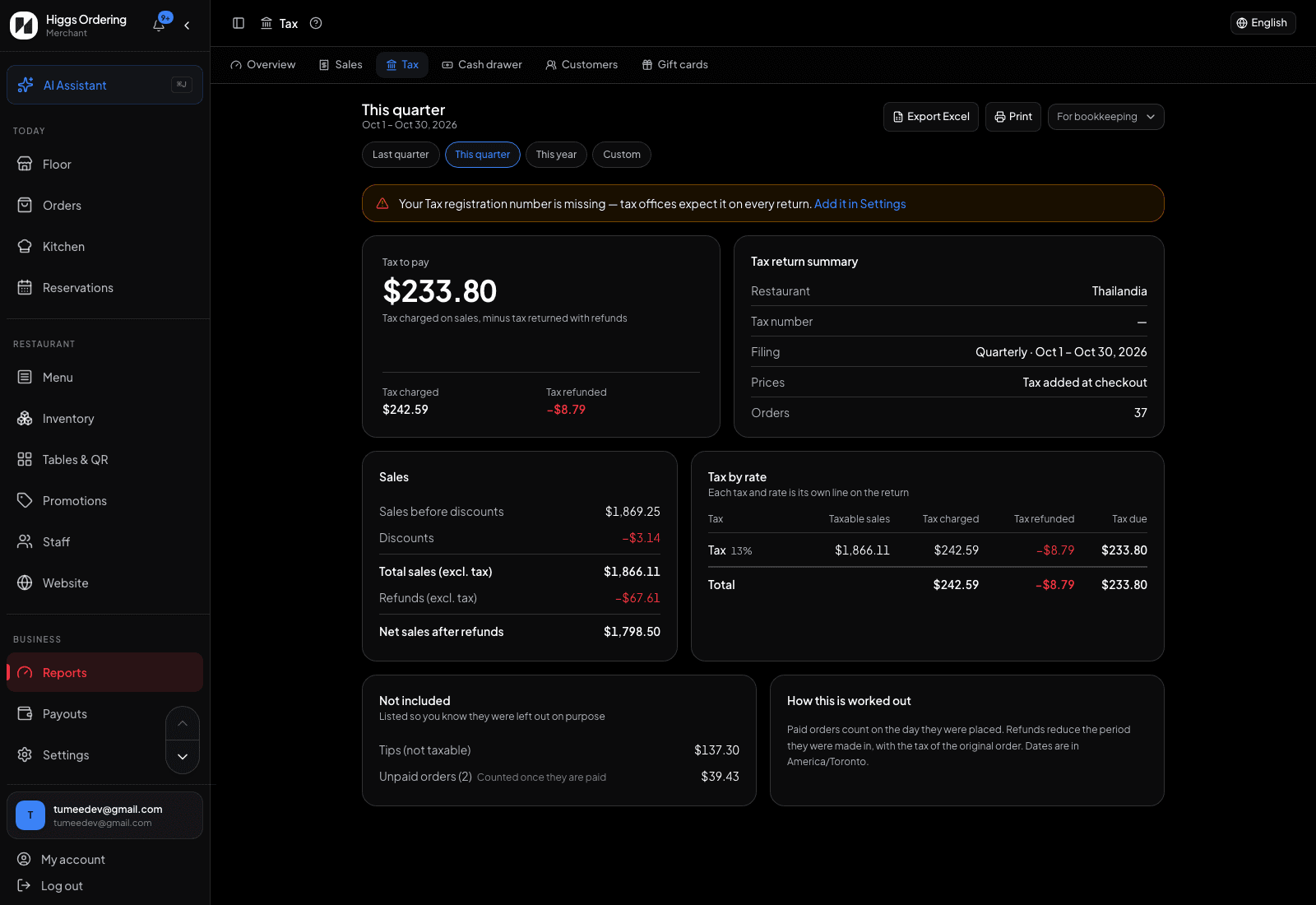
Tax to pay first, then the details and lines a return asks for. - 2
Tax to pay is the headline: tax charged on sales minus tax returned with refunds. Next to it, the return details show your restaurant, tax number, region, filing period and whether your prices include tax. If your tax number is missing a yellow warning links to Settings. Add it before you file.
- 3
Sales gives the totals before tax: sales before discounts, discounts, and total sales excluding tax, split into taxable and exempt when you sell exempt items. Refunds made in the period come off to give net sales after refunds.
- 4
Tax by rate has one line for each tax and rate, with taxable sales, tax charged, tax refunded and tax due. Each line goes in its own box on your return. If a rate changed during the period, the old and new rates appear as separate lines.
- 5
A refund reduces the period it was made in and carries its share of the original order’s tax, the way a credit note works. Only paid orders count. Tips are never taxed, and unpaid or cancelled orders are listed under Not included so you can see what was left out.
- 6
Print gives a one-page tax return summary with Prepared by, Signature and Date lines. Export Excel gives the same figures with a tax-by-rate sheet and a by-month sheet. "For bookkeeping" downloads a day-by-day journal for QuickBooks, Xero or any spreadsheet.
TipIn Mongolia, check the totals against your e-barimt report before filing. Both come from the same receipts, so any difference points to a sale that needs a look.