Set up tax
Higgs knows the tax rules for your region — you just tell it where you operate and whether you’re registered. Get this right on day one so every order is rung up correctly.
- 1
Open Settings in the sidebar. Tax sits on the Restaurant tab.
- 2
Pick your province, state, or region. The rate follows from that — Higgs carries the rate table, including stacked taxes like GST + PST shown as a breakdown.
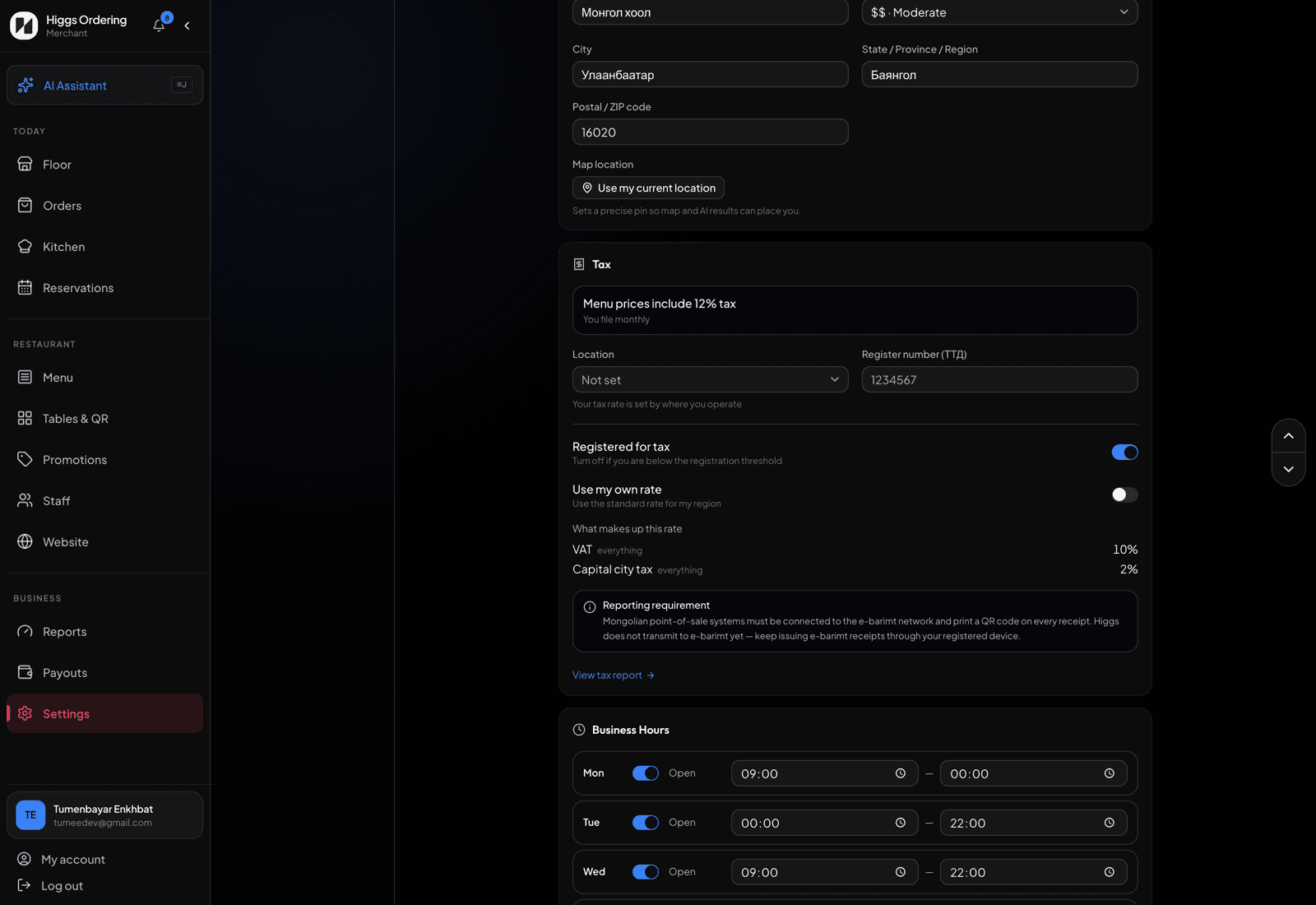
Pick where you operate — the rate and its breakdown follow. - 3
Turn "Registered for tax" off if you’re below your country’s registration threshold. Orders are then rung up with no tax at all.
- 4
The summary line tells you exactly what guests will see: either your menu prices include the tax, or it’s added at checkout — that’s set by your region, not by you.
- 5
In the US, rates vary by city and county, so the rate shown is the state base. Check your exact combined rate and enter it under "Use my own rate".
- 6
If your region taxes alcohol or soft drinks differently, set the tax class on those menu items — food is the default.
TipOnce orders come in, Reports → Tax prepares your return for each filing period: the tax per rate, refunds taken off, and the amount to pay.