Build the staff schedule
The Schedule tab is your weekly roster: who works which day, from when to when. It also drives clock-in, so it’s worth keeping accurate.
- 1
Open Staff in the sidebar and go to the Schedule tab.
- 2
Add a shift: pick the person, the date, and a start and end time. Repeat across the week.
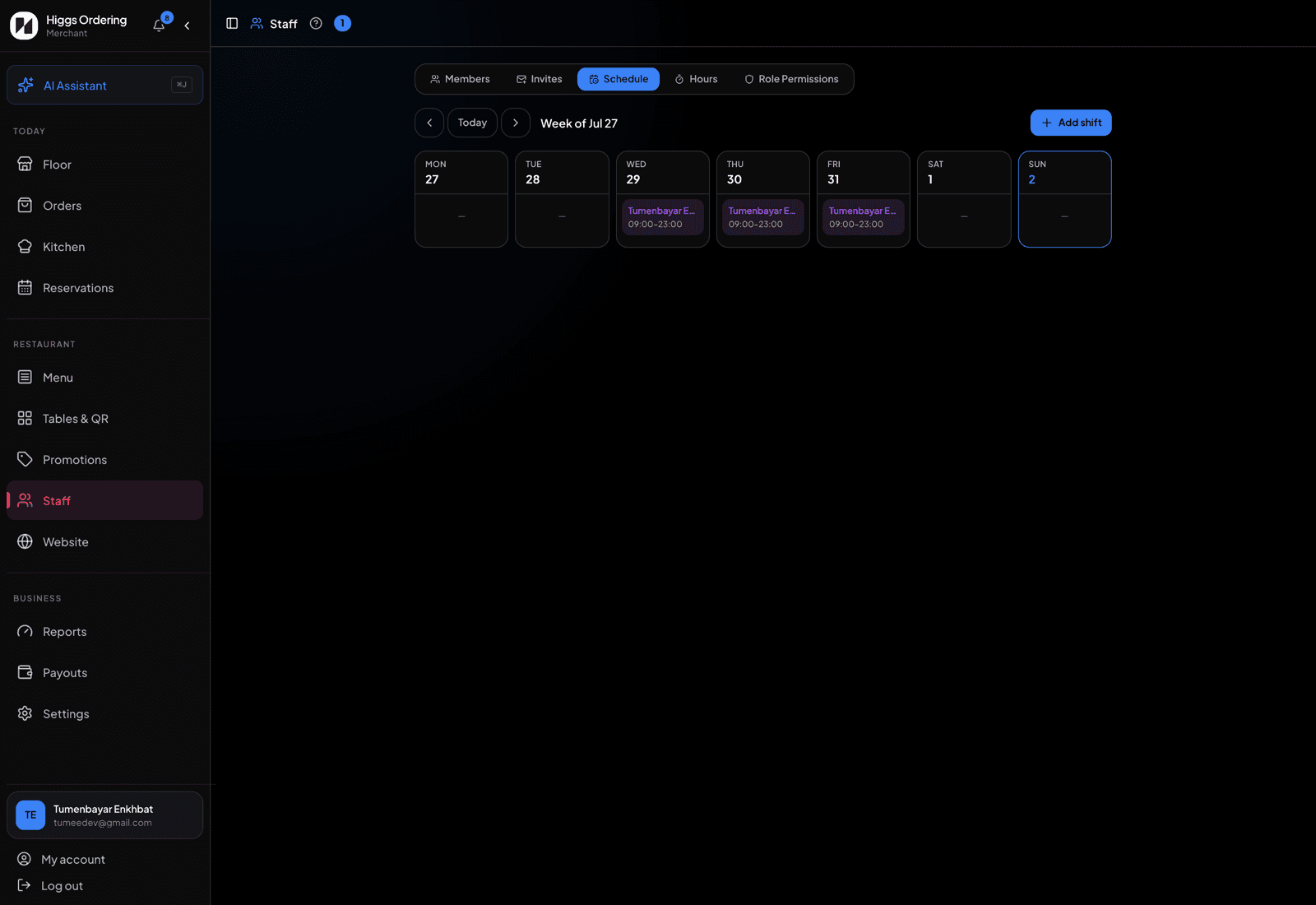
The week's roster, one card per day. - 3
Staff see their own upcoming shifts under "My Shifts" in their dashboard — nobody has to ask what time they’re on.
- 4
A shift is what unlocks clocking in that day, so roster people before their shift starts, not after.
TipBuild next week’s roster before the weekend. Staff can check their own shifts on their phone instead of texting you.