What your staff sees
Staff log in at the same address you do, but land somewhere different: a stripped-down dashboard with only the four things they need during a shift.
- 1
They log in with their own email and password and go straight to the staff dashboard — there’s nothing to install and no separate app.
- 2
Their sidebar has the order-taking screen, Orders, Kitchen, and My Shifts. Menu, Reports, Payouts, Settings and billing are not there at all.
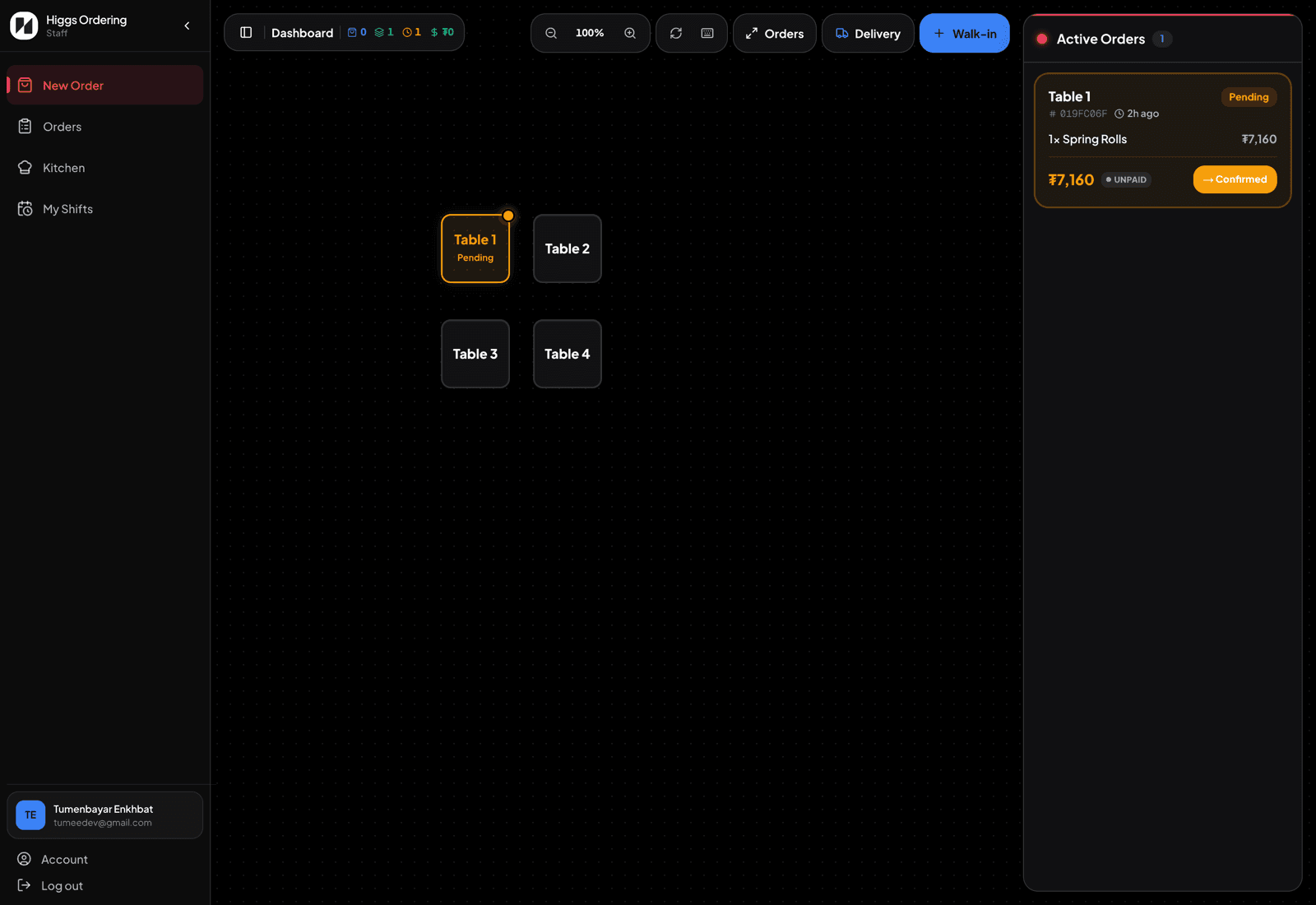
What staff see — four things, nothing else. - 3
Anything they do is attributed to them: the order activity trail records who took, changed, or cancelled each order, and who took each payment.
- 4
Managers and owners get the full dashboard instead — the same login page routes each person to what their role allows.
TipPut the staff dashboard on the home screen of the tablet or shared phone. It behaves like an app, and each person still signs in as themselves.